Google Business Profile for RV parks
The listing campers read before they reach the website, field by field. Claiming, categories, hours, photos, posts, duplicates, suspensions and what to track.
By Korey Brooks · Published August 29, 2026
For most independent parks the Google Business Profile is the highest-traffic page they have, and it is not on their own website. A camper searches and taps the park name in the map results. Up comes a panel of photos, hours, amenities, posts and reviews. The park did not design it, but controls almost all of it.
Many campers decide from that panel alone. This guide covers every field on it, in the order worth working through them.
What this guide will not claim. Google describes local ranking in terms of relevance, distance and prominence, and its local ranking documentation is the source worth reading directly.
It will not tell you that posting weekly, uploading photos on a cadence, or fast review replies are confirmed ranking factors. Those are good practice for campers reading the profile, which is reason enough to do them. They are not published levers. Treating them as such is how this subject fills with confident nonsense.
What this guide covers
1. Claiming the profile
Google creates listings for businesses it knows about, so most established parks already have a profile whether or not anyone claimed it. An unclaimed listing still shows in search, still collects reviews, and still displays whatever information Google assembled or a member of the public suggested.
That is the first thing to check. Search the park name and look for an option to claim or manage the business. If somebody at the park claimed it years ago and left, that is a different problem, covered under access below.
2. Verification
Verification is how Google confirms the business is real and that the person claiming it is entitled to. Methods vary by business type and change over time, and Google decides which are offered.
Two things are worth knowing before starting. Verification at a rural address sometimes takes more than one attempt. That usually means the address is hard to confirm, not that anything is wrong. Second, an unverified profile has limited editing, so this step blocks most of the rest of this guide.
3. Ownership and access
This is the chapter that saves parks the most trouble, and it is almost always skipped.
A Google profile is owned by an account, not by a business. If a former manager, a web designer or an agency claimed it under a personal account, the park does not control its own listing. Recovering it is possible but slow, and it goes badly when the person is unreachable or unwilling.
Two rules avoid the whole problem. The park should hold the primary ownership under an account the owner controls, not a staff member's personal address. Anyone else, including any agency, should be added as a manager rather than made an owner.
Any provider who insists on owning a client's profile should be asked why. There is no technical reason for it. What to ask, of any provider, is in how to choose an RV park marketing agency.
4. Categories
The primary category is one of the strongest relevance signals on the profile. It is also where parks most often get it slightly wrong in a way that costs them.
A park should pick the primary category that describes what it actually is, then add secondary categories for what it genuinely also offers. A campground that also has cabins, a marina or a mobile home section can reflect that in secondaries without diluting the primary.
What does not work is choosing a category because it sounds bigger, or because a competitor uses it. A mismatch between the category and what campers find confuses everything downstream.
One warning worth building into any process: the categories Google offers change over time, without announcement. A category chosen three years ago may have been renamed, split or retired. Checking it annually is cheap. The detail is in choosing the right category for an RV park.
5. Address and the map pin
The address should match the park's real, verifiable location, and it should match what appears on the park website and in directories. Inconsistency here undermines the profile in ways that are hard to trace later.
The map pin is a separate setting from the address, and this trips up more parks than anything else on the profile. Google frequently places the pin at the centre of a property. For a park occupying many acres, the centre may be a field, a lake, or the far side of a fence.
The pin should sit at the entrance campers actually use, on the road they actually arrive by. Two hundred yards off is the difference between a camper arriving and a camper phoning from a narrow road, lost, with a 38-foot rig. Fixing it is in fixing a wrong Google Maps pin.
6. Phone
The profile number should be the one a camper will actually get answered on, and it should match the number on the website.
Two situations need thought. A park using a tracking number must keep the profile and the website consistent. Conflicting numbers across sources are exactly the contradiction that makes a business harder to identify. And a park that has changed numbers should chase the old one out of directories rather than assume it fades.
7. Hours
Of every field on the profile, hours cause the most direct damage when wrong.
A camper who reads closed drives on. A camper who arrives at a gate that shut an hour earlier writes a review about it. Both outcomes come from a field that takes two minutes to correct and that nobody owns.
Parks have a complication other businesses do not: office hours and gate hours are different things, and campers care about both. Say the office closes at five but the gate admits arrivals until ten. Publishing only the five o'clock close, with no explanation a camper will see, turns away late arrivals the park would happily have taken.
Seasonal hours, closing dates and holiday hours all need setting deliberately rather than left to be discovered. Google supports special hours for exactly this. Setting them in advance for the season is a twenty-minute job once a year. The full treatment is in setting campground hours on Google.
8. Website and booking links
The profile carries a website link and, depending on what Google offers the category, other action links.
Two checks are worth running every season. Does the website link still resolve to a live page rather than an old URL from a previous site. And does the booking link still work, given that reservation platforms change URL structures without telling anyone.
A booking link that errors is invisible from the park's side. Campers who tap it and hit an error almost never call to report it, they simply go elsewhere. Adding tracking to these links is covered in the tracking chapter below.
9. Amenities and attributes
Attributes let a park state facts campers filter on, and they are worth filling in honestly and completely.
The temptation is to tick everything that might apply. That is a mistake. A guest who arrives expecting something the park does not have writes a review about it, and that review outlives the booking it won.
The correct standard is: tick what is true today, remove what is no longer true, and revisit when something changes. A park that closed its pool two seasons ago and still lists it is generating disappointment on purpose.
10. Photos
Photos are what a camper actually looks at, and most park profiles are weak here in a specific, fixable way: the photos that exist are the ones guests uploaded, not the ones the park chose.
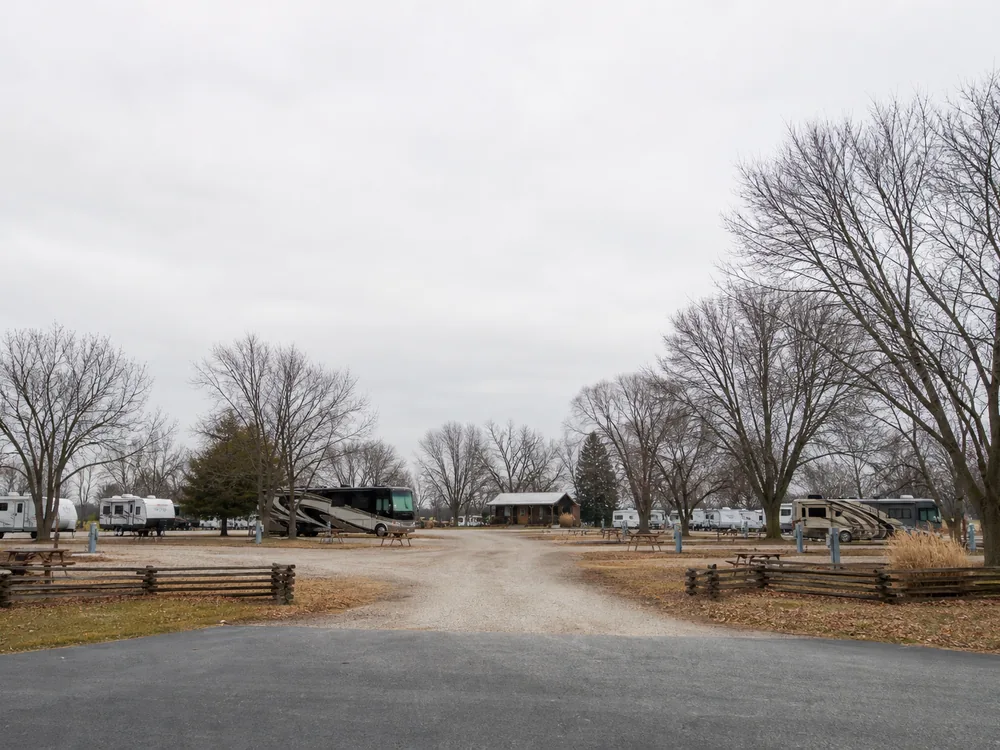
A useful set covers what campers need to judge rather than what looks prettiest. The entrance and the approach road. Representative sites of each type, showing the actual surface and spacing. Hookup pedestals. The office and check-in area. Restrooms and showers, which campers care about a great deal and parks are often shy about. Laundry. Any amenity worth mentioning. And the surroundings that make the location worth stopping for.
Two practical rules. Photograph what is true now: a shot from before an improvement undersells the park, and one from before a decline oversells it. And add photos on a steady rhythm rather than uploading forty once and never returning. A profile with recent photos reads as a going concern.
The shot list is in profile photos every campground should have.
11. Posts
Posts are short updates that appear on the profile. They are useful, and they are widely oversold.
What they genuinely do is give a camper looking at the profile something current: an event this weekend, sites open for a holiday, a rate for the season, a new amenity, a note that monthly spots are available. That is worth doing.
What cannot honestly be claimed is that a particular posting cadence improves ranking. Posts also stop displaying prominently after a period. That is why a steady rhythm beats a one-time burst. It is also why treating posts as a ranking lever leads parks to produce filler nobody reads.
Fifty ideas grouped by season and occasion are in Google post ideas for RV parks.
12. Reviews
Reviews appear on the profile, contribute to prominence, and are the first thing campers compare between two parks in the results.
The rules are strict and much published advice quietly breaks them. Google prohibits incentives, buying reviews, review gating, asking for a specific rating, and asking guests to include particular phrases. The permitted line is to ask eligible guests for an honest review of their genuine experience.
Replies matter as much as the reviews. Every review deserves one, negative reviews most of all, because the reply is read by the next camper rather than by the person who complained. The full treatment is the reputation management guide.
13. Duplicates
Duplicate listings are the most common self-inflicted profile problem at parks, and they are worth hunting for even when nothing seems wrong.
They appear for ordinary reasons. The park was listed under a previous name. Somebody created a second listing rather than claiming the existing one. A change of address left the old location behind. A separate listing exists for a marina, store or office at the same site.
The damage is that reviews, photos and traffic split between two entries, so neither looks as established as the park actually is. Campers also land on whichever one Google shows, which may be the one with the wrong hours.
Resolving them takes care, because a careless merge can lose reviews. The order of operations is in fixing a duplicate Google Business Profile.
14. Suspensions
A suspended profile disappears from Maps, which for a park in season is an emergency.
Suspensions usually follow a change: an address edit, a name change that does not match the real-world signage, a category switch, or a burst of edits made at once. They also follow guideline violations, including keyword-stuffed business names.
Two habits reduce the risk considerably. Make significant edits one at a time rather than in a batch. And keep the business name exactly as it appears in the real world, with no appended keywords. A real park name followed by a list of amenities is a guideline violation, and a common cause of trouble.
If a suspension happens, the path is reinstatement through Google's process with evidence that the business is real and at that address. Photographs of signage, utility bills and licences are the sort of thing that helps.
15. Tracking
The profile reports some of its own activity, including how people found the listing and what they did on it.
Those numbers are useful with two caveats. Google counts by its own definitions, which change, so comparisons across a long period can mislead. And a profile action is not a booking, so reporting that presents profile taps as revenue is overstating.
The improvement worth making is tagging the website and booking links. Campers arriving from the listing then show up as such, rather than blending into direct traffic. It is a small one-time job with a lasting payoff, set out in UTM tracking for a profile.
A working order
For a park starting from a neglected listing, this sequence gets the most out of the least effort.
- Confirm ownership and access sit with the park.
- Hunt for duplicates and resolve them before adding anything new.
- Correct the pin, address and phone.
- Fix hours, including seasonal and special hours.
- Check the primary category and secondaries.
- Fill amenities honestly and remove what is no longer true.
- Add a real photo set covering what campers judge on.
- Start asking every eligible guest for a review, and reply to what arrives.
- Post on a steady rhythm with things worth saying.
- Tag the links, then watch what changes.
A printable version to work through is the Google Business Profile checklist.
Find out what the profile is missing.
The free Google Profile Audit checks the park listing for missing, wrong or stale information: hours, categories, photos, links and unanswered reviews. By email, usually within one business day.
Prefer email? Write to info@fillmypark.com